This tutorial will show you how to create your very own server online and on your localhost.
The below steps can be time consuming but once you know what to do its really easy 🙂
Serverpacks are becoming large these days (1gb+) and it is becoming very difficult to upload these files to CurseForge via browser uploads. The below method allows all required files to be easily downloaded and used for your servers. If you are still having issues, join the discord link at the bottom of this post and someone will help you out on there.
Localhost Method
Use the CurseForge app to import the GamerPotion modpack server pack zip file that you just downloaded. This will download all the mods and config files needed for the server to run properly.
Click on Import
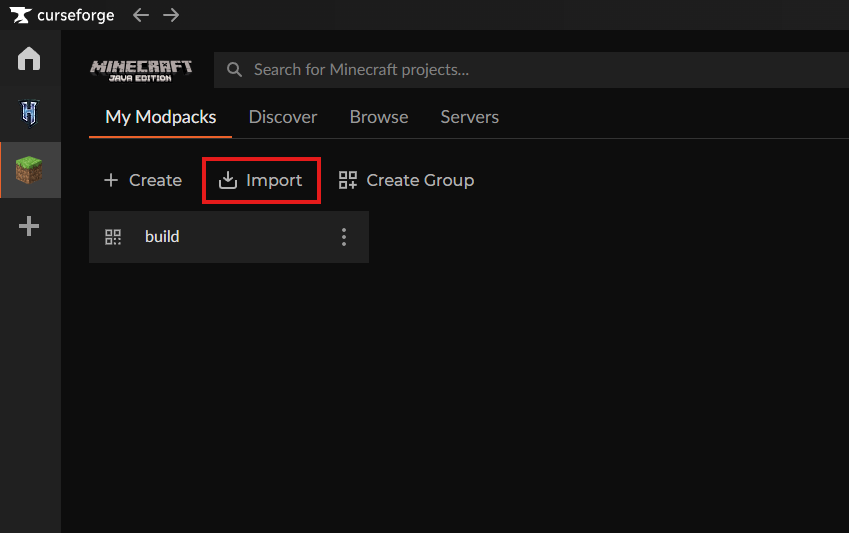

Local the server pack zip file and select it to begin the import process.

Once CurseForge has imported and downloaded all the files, you should see it in the My Modpacks section

Right click on the server pack icon and select Open Folder

This will open up the folder where the files have been imported into. Highlight all the files in this folder and then copy them.

Use the below links to download the Server installer for the relevant modloader (Fabric, Forge, NeoForge)
– Fabric – https://fabricmc.net/use/installer
– Forge – https://files.minecraftforge.net
– NeoForge – https://projects.neoforged.net/neoforged/neoforge
(This will have your server jar file, a bat file to run the server, and some extra folders)

(this will paste the files we copied earlier)

You should now see the files that you copied earlier pasted into this folder


You may need to write “true” for the eula.txt file and save it when the server starts for the very first time

Once the server has finished loading, look for the line that reads done


If you have never used BisectHosting, simply click this link and use the code “gamerpotion” to get 25% Off your order.